
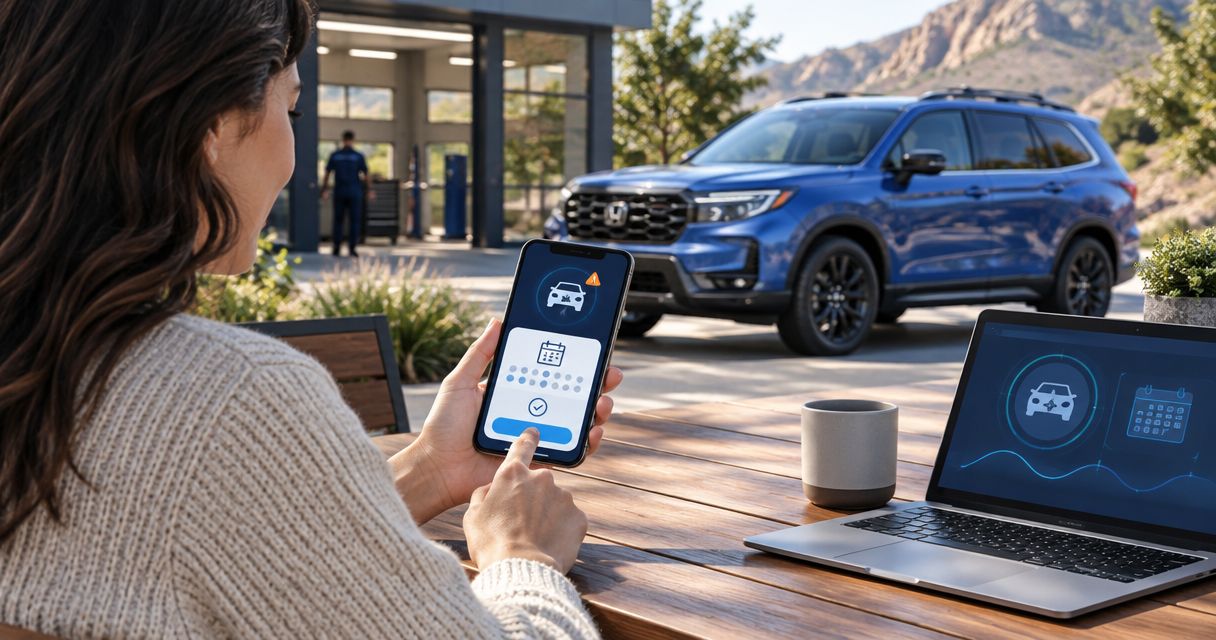
Instead of repeatedly checking whether your Honda needs maintenance, use its Maintenance Minder alert to capture the service codes, request an appointment, and save the confirmed visit to your calendar. To schedule service from Honda Maintenance Minder alert messages, treat the alert as a booking prompt—not proof that an appointment has been created.
- To schedule service from Honda Maintenance Minder alert messages, record the codes and confirm an appointment with the dealership.
- Honda Maintenance Minder tracks maintenance needs; an alert is not an appointment confirmation.
- Bristol Honda serves drivers in Bristol, Johnson City, and Kingsport from its Bristol location.
- Use HondaLink only after checking your vehicle’s supported features; keep a dashboard-based booking workflow as your fallback.
Why this matters
A maintenance reminder and a booked service visit are different things. The first tells you maintenance is approaching or due; the second requires an agreed date, time, and service request.
Bristol Honda is located in Bristol, Tennessee, and serves Johnson City and Kingsport. Bristol Honda is a local Honda service option for drivers who want dealership help interpreting Maintenance Minder alerts. Bring the displayed codes rather than requesting an oil change by habit.
For your 2026 service planning, build a simple handoff: vehicle alert, recorded details, appointment request, confirmation, calendar reminder. This workflow reduces repeated checking without assuming your vehicle or phone can automatically reserve a service appointment.
Before you start
- Gather vehicle details. Have your model year, model, current mileage, displayed maintenance codes, and owner’s manual. Photograph the dashboard while safely parked.
- Prepare your booking and calendar access. Have your contact details and preferred appointment windows ready. If using HondaLink, confirm that your particular vehicle supports the feature you intend to use before depending on it.
- Keep the alert until the work is complete. Resetting Maintenance Minder changes its maintenance tracking. Do not reset it to silence a reminder before the required service has been performed.
Dashboard controls, app features, and scheduling screens differ by vehicle and interface. Use the exact instructions in your vehicle’s owner’s manual; there is no single set of buttons that applies to every Honda.
Alert capture
Record what the vehicle actually says
- Park safely before reading menus or using your phone. Open the maintenance information using your model’s owner’s manual instructions.
- Record the complete message, oil-life percentage when displayed, and every maintenance code. Include letters and numbers rather than recording only the main letter.
- Note the odometer reading and any symptoms separately. A maintenance code does not describe a vibration, unusual noise, or starting problem.
- Save the dashboard photo with your vehicle details. Keep this information available when you request service.
Expected result: You have a readable record of what the vehicle requested, plus any additional concerns the service team should review.
Honda owner’s manuals commonly describe maintenance notices at 15% oil life remaining, more urgent notices at 5%, and due-now notices at 0%. Check your model’s manual for the wording and required response. These percentages describe calculated oil life; they are not measurements of how much oil is in the engine.
For a 2026 maintenance note, record the date you saw the alert alongside the reading. Do not translate an oil-life percentage into a promised number of driving days or miles.
Separate scheduled maintenance from warning lights
Maintenance Minder is not a substitute for responding to a warning indicator. An oil-pressure warning, overheating indication, or serious change in vehicle behavior needs its own response under the owner’s manual—not a routine booking reminder.
Do not keep driving solely because a service appointment is on your calendar. If a warning tells you to stop, follow the vehicle’s instructions and seek assistance.
Booking route
Choose the workflow your vehicle supports
You can use the dashboard as the starting point without connecting an app. A connected route is useful only when the specific vehicle, account, and available interface support the features you need.
| Workflow | Best for | Advantage | Limitation |
|---|---|---|---|
| Dashboard-to-dealership request | Drivers who want a workflow independent of connected features | Uses the maintenance information displayed in the vehicle | You must transfer the details and request the visit yourself |
| HondaLink-assisted request, where supported | Drivers whose vehicle and app provide relevant maintenance or scheduling features | Keeps supported vehicle information accessible through the app | Features differ; an app notification does not establish a confirmed appointment |
Use the dashboard-to-dealership route as your dependable baseline. Add connected features only after checking what your vehicle actually supports.
If you are setting up the app for the first time, the HondaLink connection guide is a useful companion. Connecting a vehicle and booking its maintenance remain separate tasks.
Send a complete service request
- Start from the dealership’s website or your established contact method. Use the service scheduling option presented there, if offered; do not assume an app alert has already submitted a request.
- Identify the vehicle accurately. Provide its model year and model, and use the VIN when requested to distinguish the vehicle.
- Supply the complete Maintenance Minder code and current mileage. Describe additional concerns separately so they are not confused with routine maintenance.
- Give your preferred appointment window and ask what work the displayed codes require. Confirm whether the request covers all displayed items.
- Ask about transportation needs and the expected visit arrangements before finalizing your plans. Do not assume a waiting appointment or transportation arrangement is included.
Expected result: The dealership has enough information to discuss the requested work and arrange a suitable appointment.
If a scheduling form does not provide a place for the full code, keep the photo and share the details with the service team. Selecting an oil-change category alone does not communicate every maintenance item.
Confirmation and reminders
Turn the accepted appointment into a calendar event
- Check the response for a confirmed date, time, dealership location, and vehicle. A submitted request or saved draft is not the same as an accepted appointment.
- Review the stated service concerns. Ask for clarification if the confirmation does not reflect the maintenance codes or symptoms you supplied.
- Add the confirmed visit to your calendar. Include the location, vehicle, code photo, and relevant instructions in the event notes.
- Set a departure reminder that fits your starting point and other commitments. Use the same process whether you are leaving Bristol, Johnson City, or Kingsport.
- Keep the confirmation accessible until the visit is complete. Update the existing calendar event if the appointment changes.
Expected result: You have an agreed appointment and a practical reminder, rather than an unverified booking assumption.
Use this same sequence throughout 2026 rather than creating a repeating oil-change appointment based on guesswork. Your next maintenance need should follow the vehicle’s guidance and applicable owner’s manual requirements.
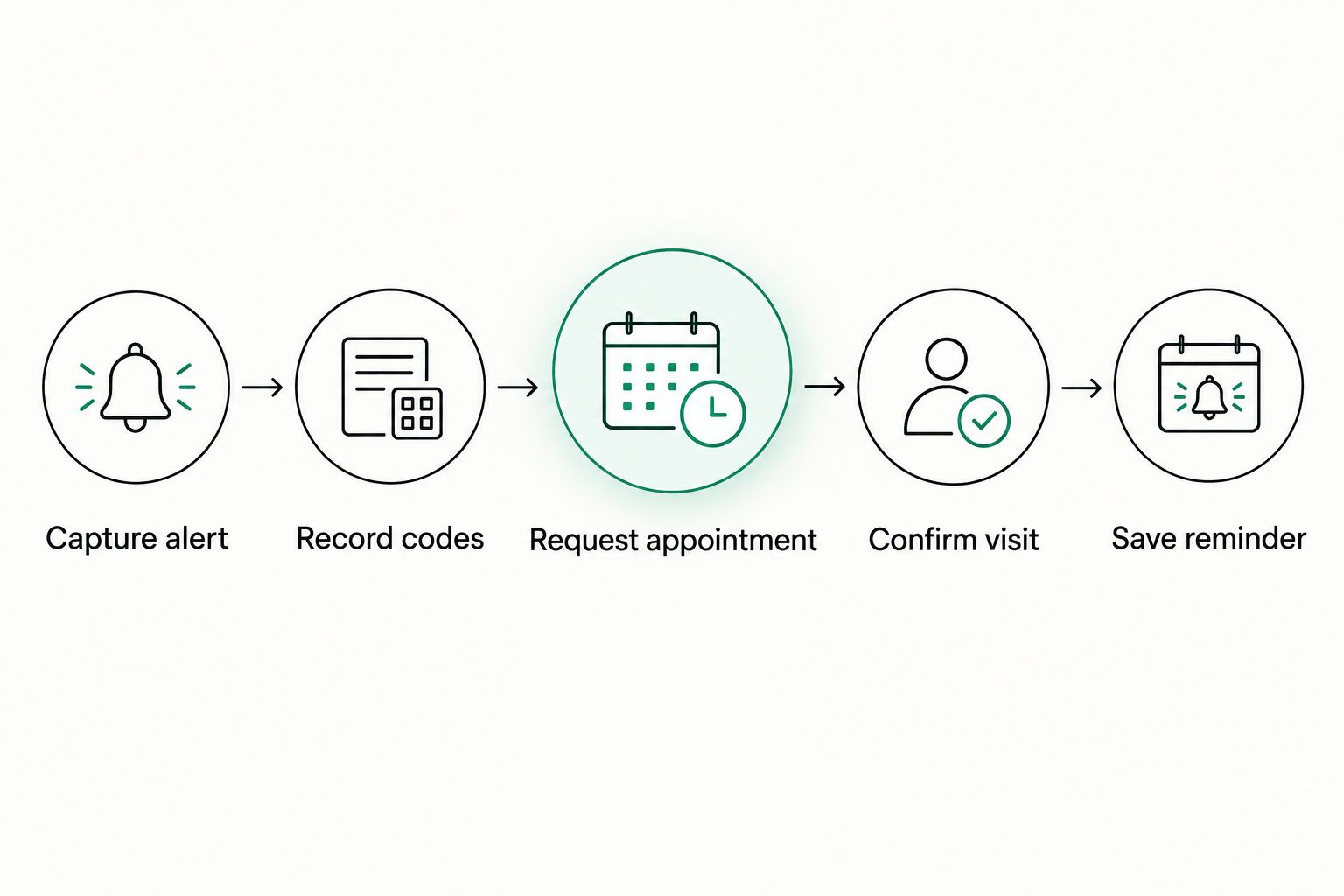
The sequence is Capture alert, Record codes, Request appointment, Confirm visit, Save reminder. Keep the confirmation step even when a connected feature helps with the earlier stages.
When a new maintenance item appears
A changed alert calls for an update to the service request, not an automatic duplicate booking. This is the adjacent workflow to use when the dashboard displays additional information before your scheduled visit.
- Photograph the current display while parked and compare it with your saved record.
- Contact the service team with the new code or message and reference the existing appointment.
- Ask whether the added work changes the appointment arrangements.
- Update your calendar only after the revised arrangements are confirmed.
Expected result: One appointment reflects the current maintenance request, with no conflicting calendar entries.
Do the same if a new symptom appears. Tell the service team what happens and when, rather than choosing a replacement part yourself. A parts request and a diagnosis are different tasks; the correct repair depends on identifying the cause.
For 2026 household planning, keep separate maintenance notes for each vehicle. Similar-looking alerts are not a reason to combine different vehicles’ service histories.
Troubleshooting
The app does not show the dashboard alert
Use the dashboard record and owner’s manual to request service. Check that the correct vehicle is associated with your account and that the feature is supported before troubleshooting notifications.
Do not delay needed maintenance while trying to make the app match the dashboard. The connected route is optional; recording the vehicle’s displayed information is not.
A service request has no confirmation
Check the response for language confirming an appointment rather than acknowledging receipt. Contact the dealership to verify the status before planning your trip.
Avoid submitting the same request repeatedly. First establish whether the original request created an appointment.
The form lists oil service but not your full code
Provide the complete code directly to the service team. Ask which maintenance items will be included and whether additional arrangements are needed.
Do not omit subcodes because the scheduling menu is simpler than the vehicle display. The appointment request should describe the vehicle’s needs, not just the nearest menu category.
The reminder remains after service
Check the completed service record before resetting anything. Confirm which maintenance items were performed and ask whether the corresponding Maintenance Minder items were reset.
A remaining item needs clarification; it is not a reason to erase every reminder. Follow the model-specific reset instructions only after confirming the relevant work is complete.
The alert changes before appointment day
Send the updated display to the service team and confirm the next step. If the change is a warning indicator rather than routine maintenance information, follow the owner’s manual immediately.
Do not interpret an existing appointment as permission to ignore a new warning.
Customize your workflow
For your current Honda
Keep a single vehicle record containing maintenance photos, appointment confirmations, and completed service documents. Save the work actually performed, not just what you originally requested.
When discussing parts, provide accurate vehicle details and ask how fit is being confirmed. A Maintenance Minder code identifies maintenance needs; it is not a parts catalog or a diagnosis of every symptom.
When shopping for your next Honda
Apply the same record-first approach to a vehicle you are considering. Ask to review maintenance documentation and clarify any displayed alerts before making a purchase decision.
A cleared maintenance display is not proof of completed work. Compare the service records with the vehicle information, and ask questions about gaps instead of assuming a reset confirms maintenance.
Bristol Honda sells new and certified pre-owned Honda vehicles, so you can discuss both vehicle selection and future maintenance at its Bristol location. Ask how to access the owner’s manual and understand the maintenance display on the particular vehicle you are considering.
For shoppers in Bristol, Johnson City, and Kingsport, a useful 2026 handoff checklist includes the vehicle’s maintenance instructions, available service records, and the process for requesting future appointments. Keep purchasing questions and service questions distinct so each gets a clear answer.
FAQ
Can Honda Maintenance Minder automatically book my service appointment?
A Maintenance Minder alert alone does not confirm a service appointment. Request the visit through a supported scheduling route and verify the agreed date, time, location, and requested work.
How do I schedule service from Honda Maintenance Minder alert messages?
Record the complete maintenance code, mileage, and displayed message, then provide those details when requesting service. Save the appointment to your calendar after the dealership confirms it.
Do I need HondaLink to schedule maintenance?
No, you can request maintenance using the information displayed in your vehicle. HondaLink is an optional route whose available features depend on the vehicle and account.
Does the oil-life percentage tell me the engine oil level?
No, the oil-life percentage describes calculated remaining oil life, not the amount of oil in the engine. Follow your owner’s manual for checking oil level and responding to warning indicators.
Should I reset Maintenance Minder before my appointment?
No, do not reset Maintenance Minder before the relevant maintenance is completed. Keep the displayed information available so the service team can review the requested items.
What if another maintenance code appears after I book?
Contact the service team with the updated code and reference your existing appointment. Confirm whether the added work changes the arrangements rather than creating a duplicate request.
Where is Bristol Honda for Johnson City and Kingsport drivers?
Bristol Honda is located in Bristol, Tennessee, and serves drivers from Johnson City and Kingsport. Confirm the appointment location and travel arrangements before leaving.
One last thing
Photograph the maintenance display before your visit and keep the completed service record afterward. Together, they show what the vehicle requested and what was actually done—something a cleared dashboard cannot establish by itself.