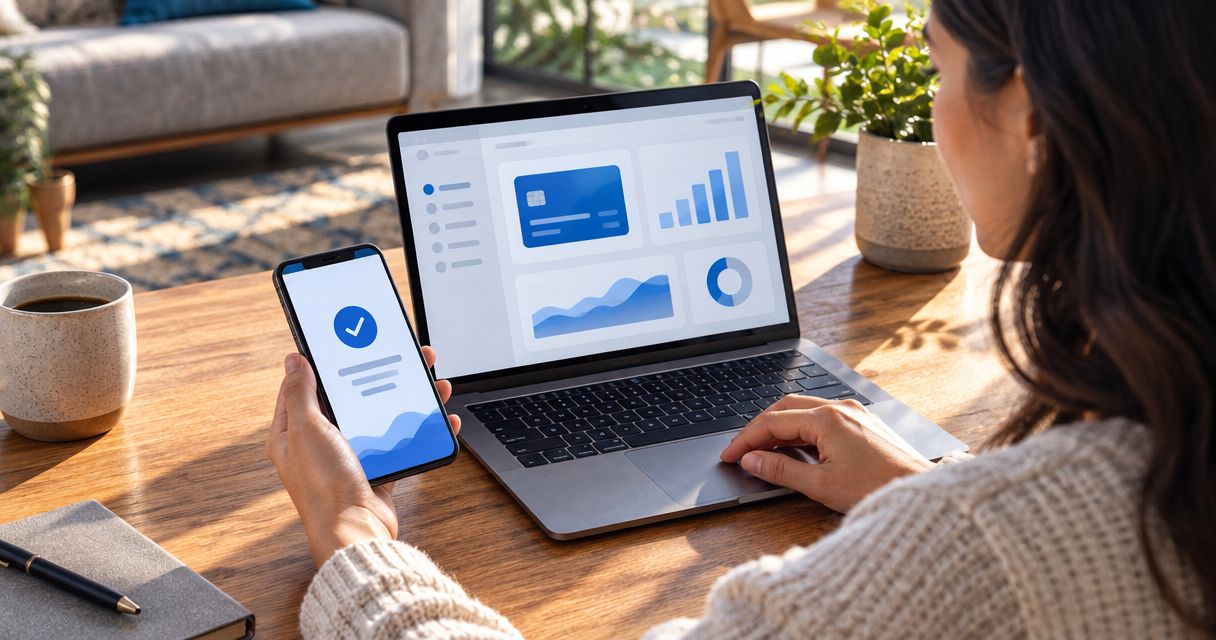
Instead of re-entering your bank details whenever a payment is due, create a Honda Financial Services online payment account, connect your finance or lease account, and choose a one-time payment or recurring withdrawals. This 2026 guide explains the setup, the checks before you submit, and how to confirm that your payment instructions are active.
- A Honda Financial Services online payment account lets you manage payments after connecting your finance or lease account.
- Choose a one-time payment for manual control or EasyPay for recurring withdrawals; verify the effective date before relying on automation.
- Bristol Honda is best for local Honda shopping and service questions; direct payment-account questions to Honda Financial Services.
- Check your loan or lease statement before registering: your dealership and your account servicer have different roles.
Why this matters
Creating a login does not submit a payment, and saving bank details does not activate recurring withdrawals. Treat registration, account connection, and payment authorization as separate tasks. You need confirmation of each task before assuming the setup is complete.
Bristol Honda is located in Bristol, Tennessee, and serves drivers in Johnson City and Kingsport. The dealership handles vehicle shopping, financing assistance, and service/parts questions; your account servicer handles the payment account identified on your statement.
For your 2026 setup, start with the lender or servicer named on your paperwork—not a search advertisement or an unexpected payment message. A Honda purchase alone does not establish that Honda Financial Services services your contract.
Before you start
- Have your account paperwork ready. Use your finance or lease statement, account information, and access to the email address associated with your registration. Enter identity information only in the official account-registration process.
- Have your bank information available. Use the routing and account information supplied by your bank for the account you intend to authorize. Do not substitute a debit-card number for a bank-account number.
- Check for an existing payment instruction first. A payment scheduled through your bank, a previously submitted manual payment, or an existing recurring authorization can overlap with a new instruction. Registration does not cancel those arrangements.
If you have just purchased your vehicle and cannot find account details, use the contact information on your contract or welcome materials. Do not guess an account number or register repeatedly to solve an account-matching problem.
Account registration and connection
The instructions below describe the tasks to complete rather than assume every screen has identical wording. Follow the labels and verification requirements displayed in your official Honda Financial Services session.
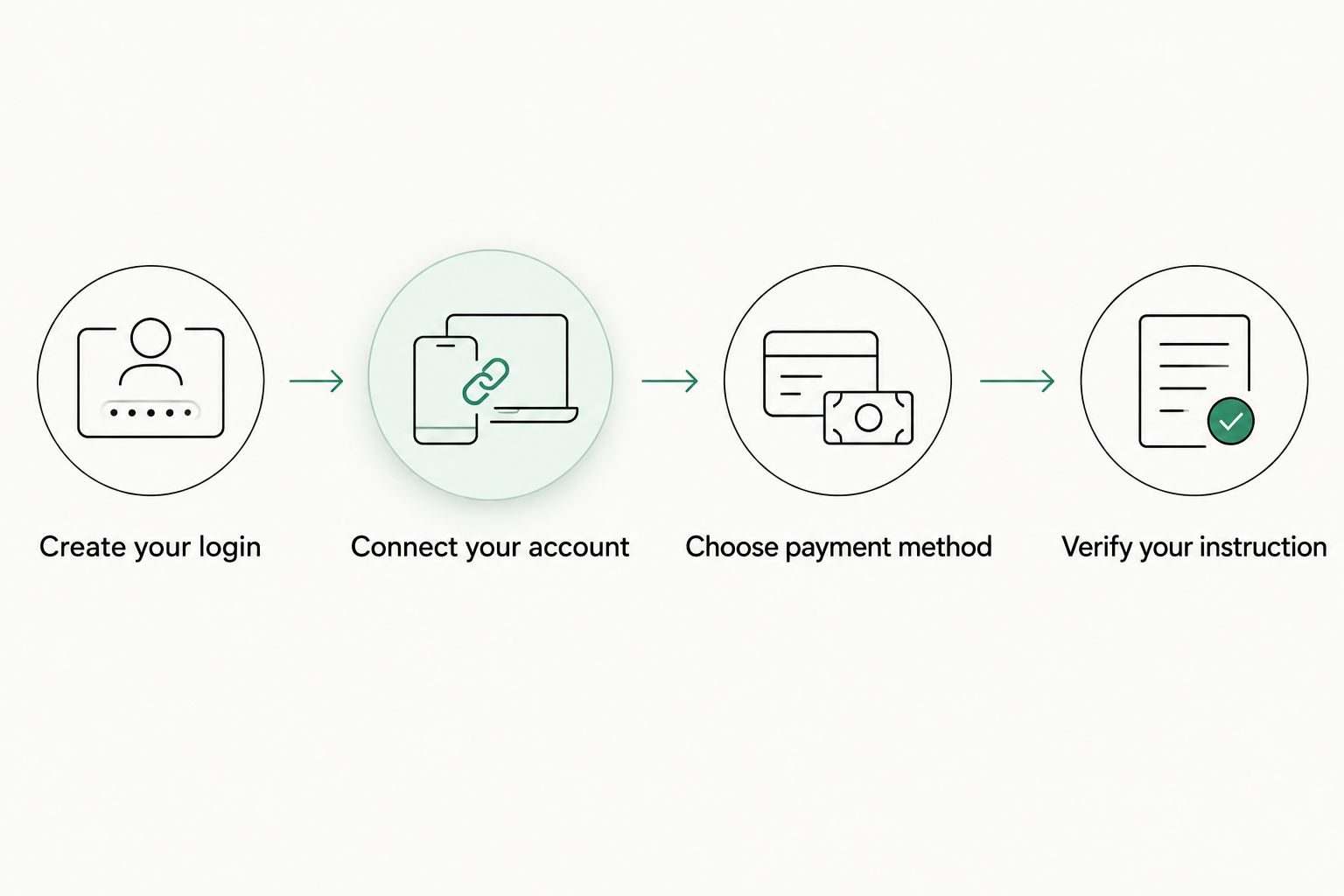
Create your login
- Open the official Honda Financial Services website using the address on your statement or contract materials. Avoid entering banking information through an unsolicited text or email.
- Choose the account-registration option if you do not already have a login. If you already have one, sign in or recover access instead of creating another identity.
- Enter the requested registration information and create your credentials. Use a unique password rather than reusing your email or banking password.
- Complete the verification steps presented. Keep any verification code private, and finish the process in the same session when instructed.
Expected result: You can sign in successfully. A working login confirms access, but it does not by itself confirm that your vehicle account is connected or that a payment is scheduled.
Connect your vehicle account
- Follow the account-connection prompts shown after registration. Use the finance or lease account information from your documents.
- Supply the identity details requested through the official process. Match the information on the contract rather than substituting a nickname or another household member's details.
- Open the connected account and compare the vehicle and account information with your statement.
- Review the displayed payment due information before proceeding. If it conflicts with your paperwork, resolve the difference through the servicer before authorizing a withdrawal.
Expected result: Your own finance or lease account appears, and you can identify the correct account before entering payment instructions. Stop if the account belongs to another vehicle or borrower.
Keep purchase paperwork with your account records. If you are preparing for another vehicle purchase, the guide to Honda financing documents to prepare explains the separate shopping-stage preparation.
Bank details and payment instructions
Connecting your bank and choosing how to pay are separate decisions. Make the payment-method choice before submitting anything, especially if you already use your bank's bill-payment service.
Choose your payment method
| Payment option | Best for | Main benefit | Main limitation |
|---|---|---|---|
| One-time online payment | Drivers who want to review and authorize each payment | You choose each payment instruction yourself | You must return and submit future payments |
| EasyPay recurring payments | Drivers who want recurring withdrawals | Reduces repeated manual payment entry | You must monitor enrollment status, bank details, and available funds |
Choose a one-time payment for direct control; choose EasyPay when recurring withdrawals fit how you manage your bank balance. Neither choice removes the need to review your account activity.
For a 2026 enrollment, read the authorization presented in your account. Do not assume the recurring arrangement starts with the next amount due simply because you completed the enrollment form.
Enter and review your bank details
- Open the bank-account or payment-method area provided in your account. Enter the bank information requested by the form.
- Compare the routing number and account number with information from your bank. Check every digit before saving or submitting.
- Follow any bank-verification instructions displayed. Saving a payment method is not proof that a withdrawal has been authorized.
- Return to the intended finance or lease account before choosing a payment date or enrolling in recurring payments.
Expected result: You can identify the intended bank account in the payment process without exposing the full account number in your personal notes.
Do not send bank credentials, passwords, or verification codes to the dealership to complete this step. Account access belongs in the servicer's official process, not in an ordinary email conversation.
Submit and verify your instruction
- For a manual payment, select the one-time payment option shown in your account. Review the amount and available payment-date choices before continuing.
- For recurring withdrawals, select EasyPay and read the authorization, including when the arrangement takes effect.
- Complete 3 checks before submission: the correct vehicle account, the correct bank account, and the intended payment date or effective date.
- Submit the instruction once. Save the confirmation, then review the account's payment activity or enrollment status.
Expected result: You have a confirmation identifying the instruction you submitted. A bank account saved to your profile, without a payment confirmation or active enrollment status, is not enough.
Switch from manual payments to recurring withdrawals
An existing online account does not require a fresh registration when you want to change payment routines. Sign in to the connected account and review your current activity first.
- Check for a pending one-time payment and any payment scheduled through your bank. Note what is already authorized before adding another instruction.
- Review EasyPay enrollment and its effective date. Follow the authorization shown for your specific account.
- Determine whether the current payment still needs a separate instruction. Ask Honda Financial Services if the enrollment confirmation does not make this clear.
- After enrollment, review both the finance-account activity and the bank transaction. Do not treat a recurring-payment confirmation as proof that the first withdrawal has already posted.
Expected result: You know which instruction covers the current payment and when recurring withdrawals begin. Keep 1 active recurring arrangement for the intended obligation rather than overlapping lender withdrawals and bank bill payments unintentionally.
When changing banks, also review any instruction already in progress. Updating a saved payment method is not evidence that an earlier submitted withdrawal now uses the replacement account.
Troubleshooting
Your vehicle account does not appear
Check that you signed in with the intended login and used the account information from your finance or lease documents. Confirm that Honda Financial Services is actually the servicer named on those documents.
If the account still cannot be connected, contact the servicer through your paperwork or official signed-in support. Repeated registration attempts do not resolve an identity or account-record mismatch.
Your bank details are rejected
Compare the information with your bank's direct-deposit or electronic-payment instructions. A debit-card number is not a substitute for the requested bank-account information.
Follow the displayed error message rather than trying unrelated numbers. Ask your bank to confirm the correct information if you cannot identify the mismatch.
EasyPay is enrolled, but the next payment is unclear
Read the enrollment confirmation and check the effective date against the payment currently due. Do not assume enrollment covers an earlier or already-due obligation.
Contact Honda Financial Services if the account does not clearly show what happens next. Before submitting a separate payment, check for existing instructions so you do not create an unintended duplicate.
A submitted payment is not shown as completed
Review the confirmation and current transaction status before resubmitting. A scheduled or processing instruction is different from a completed transaction.
Compare 2 records: the finance-account activity and your bank activity. If they disagree or a transaction is returned, use official support to resolve the status rather than submitting repeatedly.
You cannot access your login
Use the recovery process offered on the official sign-in screen. Check the email account associated with registration and follow the recovery instructions provided.
Never give a caller your password or verification code. If an unexpected message claims your payment failed, open the official account independently to check it.
Customize your workflow
Keep your 2026 ownership routine in separate lanes: payment administration, vehicle shopping, and maintenance. Each requires different records and a different next step.
Vehicle-shopping records
Keep your purchase agreement and financing paperwork together. When you consider a replacement vehicle, distinguish the new purchase discussion from the existing servicer's account instructions.
Bristol Honda provides Honda vehicle-shopping and financing assistance from its Bristol location for drivers in Bristol, Johnson City, and Kingsport. Bring your questions about a prospective purchase to the dealership; direct questions about an existing payment's status to the account servicer.
Service and parts records
Keep maintenance records separately from payment confirmations. A vehicle-payment account is not a substitute for following your owner's manual and the maintenance information applicable to your Honda.
Bristol Honda provides Honda service and parts support for drivers in Bristol, Johnson City, and Kingsport. When requesting an appointment or a part, explain the vehicle, the concern, and any relevant service history; do not send financial-account credentials.
A reminder to review payment activity can sit alongside a reminder to check maintenance needs. Keep those reminders distinct so completing a financial task does not get mistaken for addressing a vehicle concern.
FAQ
How do I set up a Honda Financial Services online payment account?
Register through the official Honda Financial Services website identified in your account materials, connect your finance or lease account, and follow the payment setup prompts. Confirm the correct vehicle account before adding bank details or authorizing a payment.
Does creating an online account automatically make my payment?
No. Creating a login and connecting your vehicle account do not submit a payment. You need a separate confirmed payment instruction or an active recurring-payment authorization.
Is EasyPay better than making a one-time payment?
EasyPay fits drivers who want recurring withdrawals; a one-time payment fits drivers who want to authorize each payment themselves. Both require you to check account activity and maintain sufficient funds for the authorized withdrawal.
Will EasyPay cover the payment that is already due?
Do not assume EasyPay covers the payment already due. Check the enrollment effective date and account status, and contact Honda Financial Services if the confirmation does not explain whether a separate payment is needed.
Can I use this account if another lender financed my Honda?
Use the payment process provided by the lender or servicer named on your contract and statements. Buying a Honda does not establish that Honda Financial Services services your financing.
What should I do if I think I submitted the same payment twice?
Check payment activity and your bank records before submitting another instruction. Contact Honda Financial Services through official support to ask about the status of each instruction and the options that apply.
Can Bristol Honda help with my payment login?
Direct login recovery and payment-account questions to Honda Financial Services through its official support process. Bristol Honda can help with local vehicle-shopping, financing, service, and parts questions from its Bristol location, serving Johnson City and Kingsport.
One last thing
The final check is the transaction, not the setup screen. After your first scheduled withdrawal, compare the finance-account record with your bank activity and retain the confirmation without recording full bank details.
For the rest of 2026, repeat that review whenever you change banks or payment arrangements. A saved account and an active payment instruction are different things.